What's Really Happening to Your Spine

Stop for a second and notice how you're sitting right now.

Your lumbar spine is bearing a specific amount of pressure based on your position. If you're slouched, that pressure is excessive. If you're sitting upright with proper support, it's manageable.

This difference determines whether you develop chronic lower back pain or maintain a healthy spine. Here's the reality: over 50% of office workers experience lower back pain, and most don't understand why.

Bad Sitting Position and Good Sitting Position
Ergonomic Chair

What Sitting Does to Your Spine

When you stand, your intervertebral discs - the cushions between vertebrae - distribute weight evenly. Sitting creates a completely different mechanical situation.

When you sit without proper support, your spine flexes forward. This increases intradiscal pressure dramatically. Research shows sitting creates significantly higher disc pressure than standing, even though it feels less strenuous.

The Silent Damage

Researchers used MRI imaging to measure disc changes in office workers during their workday. After just 4 hours of continuous sitting:

Measurable disc height loss occurred in the lower lumbar region

Pressure increased where most people experience pain

Discs began losing fluid under sustained compression

This happens silently. You don't feel it occurring.

But when participants followed a simple protocol of standing and stretching every 15 minutes, their disc height remained stable. No damage occurred.

The conclusion: movement prevents disc damage. Prolonged static sitting causes it.

From Pressure to Chronic Problems

Repeated pressure on spinal discs triggers a degenerative process:


Early stage:
Disc outer layers weaken. Inner material begins bulging. You might feel nothing yet.

Progressive stage:
The bulge worsens, pressing on nerve roots. Pain develops, sharp, aching, or radiating into legs.

Advanced stage:
In severe cases, outer layers tear. Disc material leaks out, compressing nerves more severely, causing intense pain or numbness.

Chronic stage:
The disc loses structural integrity. Vertebrae shift, causing additional complications that become increasingly difficult to reverse.

Research suggests employees working in pain operate at 30-60% of normal capacity. For organizations where half the workforce has back pain, the cumulative impact is substantial.

What Actually Prevents Damage

MRI studies revealed a key finding: with 15-minute movement breaks and proper seating, participants showed no disc changes after 4 hours.

This isn't about "perfect" posture. It's about three factors:

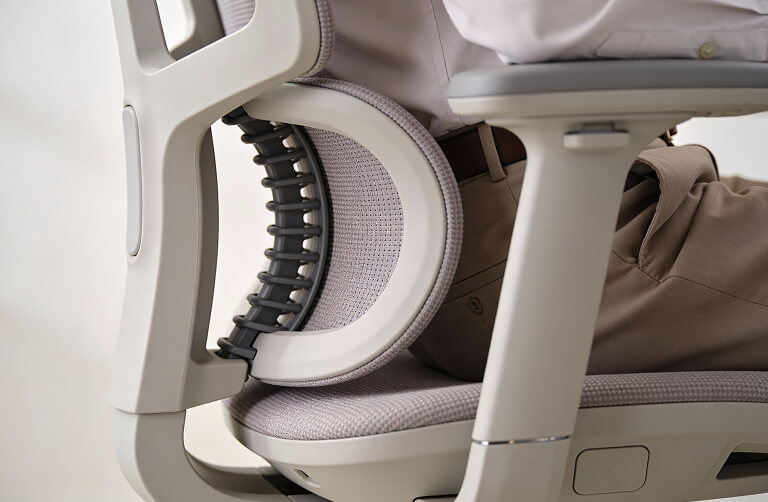
Proper lumbar support maintaining your spine's natural inward curve, reducing disc pressure.

Correct positioning ensuring alignment at hips, knees, and ankles.

Frequent postural changes preventing sustained compression that damages discs.

Ergonomic chairs with adjustable lumbar support, seat height control, and tilt mechanisms combined with movement breaks effectively prevent the degenerative process.

Why Most Office Chairs Fail

  • Fixed lumbar support that doesn't adjust to your body
  • Limited height adjustment
  • Poor seat design
  • Minimal armrest support


When you try maintaining proper alignment in an inadequate chair, you're fighting the furniture. Muscles fatigue. Posture collapses. Disc pressure increases.

Proper ergonomic seating supports your spine's natural curves with minimal muscular effort.

The Power of Small Movements


Research revealed something important: the solution isn't one "perfect" static posture held all day.

The key is preventing sustained compression through frequent position changes.

Every 15 minutes, successful participants made small adjustments:

  • Leaning back slightly
  • Brief forward lean
  • Hip rotation

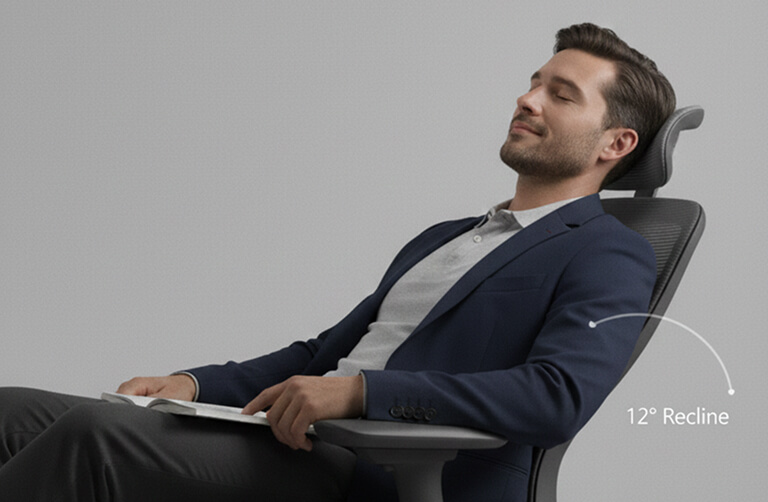
These small, frequent movements prevented cumulative pressure causing disc deterioration. Chairs enabling micro-movements through tilt and recline features outperform static designs.

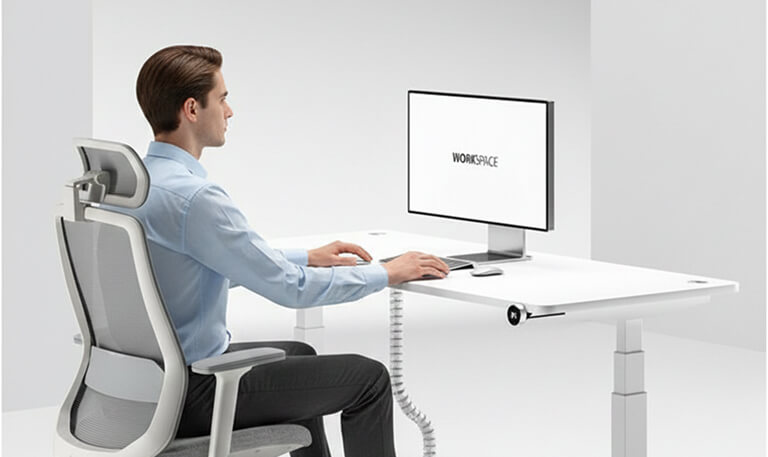
Proper Sitting Position
Proper Sitting

What You Can Do Right Now

Assess your setup:

  • Can you sit back with lumbar support?
  • Are your feet flat with thighs parallel to ground?
  • Does your chair allow slight recline without losing back support?

Make adjustments:

  • Position lumbar support to match your lower back curve
  • Adjust seat height for feet flat placement
  • Set 15-minute reminders to change position

Incorporate movement:

  • Stand and stretch briefly every 15 minutes
  • Perform gentle backward bends
  • Walk during phone calls when possible

When to Seek Help:

See a healthcare provider if you experience:

  • Pain radiating down legs
  • Numbness or tingling in legs or feet
  • Progressive worsening despite improvements
  • Muscle weakness
  • Loss of bladder or bowel control (immediate emergency)

Timeline For Improvement

Weeks 1-2: Initial adjustment as your body adapts to proper positioning.

Weeks 3-4: Most people notice pain reduction. Discomfort during and after work decreases.

Months 2-3: Full benefits typically realize. Pain reduction becomes stable.

Beyond 6 months: With proper maintenance, benefits continue. Studies show improvement extending through 12 months.

The Bottom Line

Lower back pain from office work isn't inevitable. The degenerative process affecting spinal discs is preventable.

Multiple studies confirm that proper ergonomic seating combined with movement protocols significantly reduces back pain and prevents disc damage. The question is whether you'll take action before temporary discomfort becomes chronic dysfunction.

Start with your workstation assessment today. Make basic adjustments. Incorporate brief movement breaks. Notice what improves.

Your spine will thank you.

Need Help? Professional ergonomic assessments can identify specific risk factors in your workspace and provide personalized recommendations.